I recently ordered an Alt Mive Style Folder 2 as part of my digital minimalism journey, and I am really enjoying it so far. It’s led me to use my phone less and be more intentional with it reducing my screen-time to an average of 30 minutes a day. I will still check my emails or messages on it occasionally out of boredom and since the opening and closing sound is satisfying.


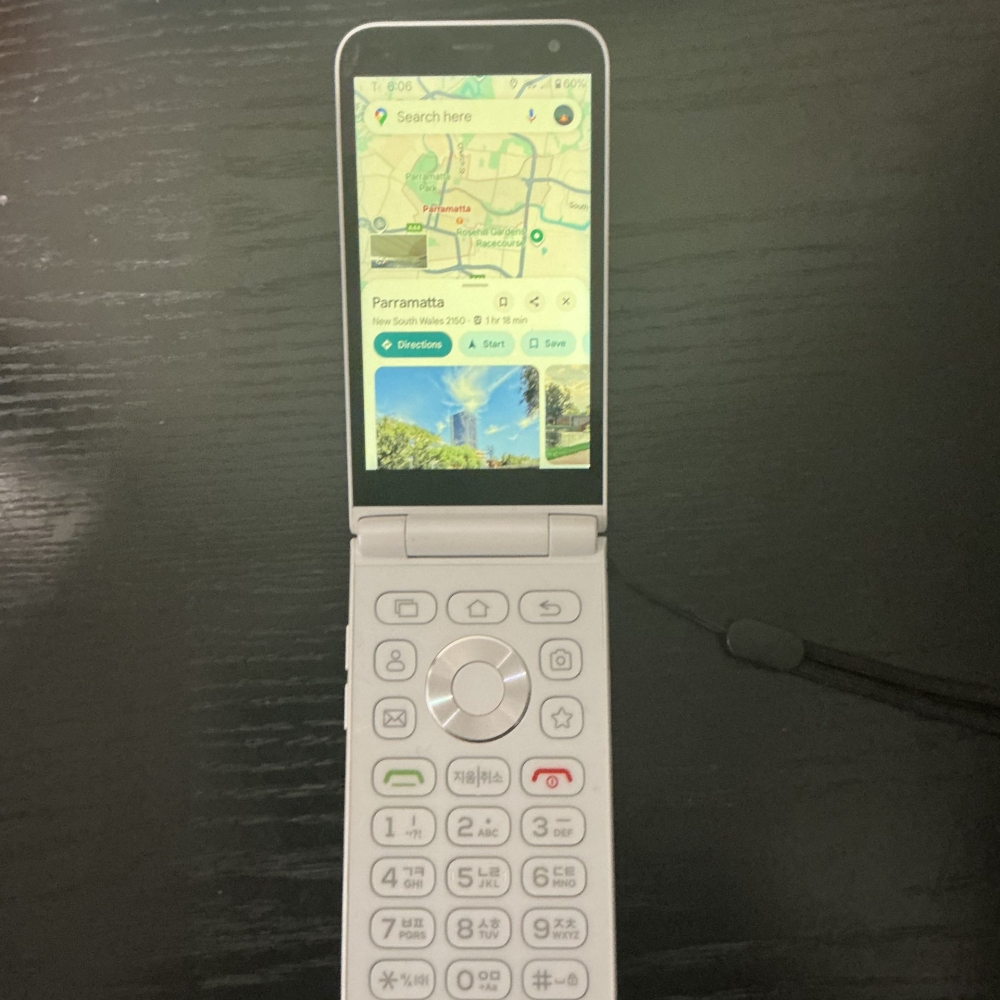

I ordered the phone from eBay for about $360 AUD, which, for a full Android phone, isn’t that bad. It shipped from Korea with FedEx and only took about a week or less, which was nice. They did ship the wrong colour and there were some issues with the phone touch screen not working, but nothing too major that couldn’t be sorted out.
I was worried the phone wouldn’t work, but it ended up working fine with my carrier at the time, Aldi Mobile, although it wasn’t the best, so I ended up switching to Telstra, which had better 3G service.
The Alt Mive Style Folder 2 still has all the features of a regular phone as it runs Android 14 Go edition, so you can use WhatsApp, Discord, email, 2FA and Google Maps, but with a flip phone factor as it was designed for seniors.
Up to this point, I had already tried the Opel Mobile Touch Flip 4G but ended up reverting back to my smartphone, as although it could call and text, it didn’t even have maps, which was extremely inconvenient.
The phone has a very retro aesthetic with all the buttons feeling quite nice to use and it even having physical buttons for contacts, camera and buttons you can assign to whatever app you want.
The phone is however quite large, especially when open, almost the same size if not bigger than a normal iPhone. It doesn’t feel that way however due to the device weight distribution and design. The Alt Mive also comes with a headphone jack with it’s audio player being satisfactory and an expandable SD card slot, which is a plus given it’s 32GB size.
The screen is also touch-sensitive, so you can use it to type messages or search which is a godsend since I hate using the T9 Keyboard to type. However, I have big fingers, which makes it annoying to use as I frequently mistype things and I can’t get the spellcheck to work, but it does lead me to using it less.
I am also using the before launcher, which I quite like due to it’s minimal design and it working well with the navigation button on the phone making opening apps easier compared to the stock launcher, and it’s free, so I would highly recommend it.
Overall, I would highly recommend giving the phone a try. It has significantly reduced my screen time and reduced mindless scrolling just due to the form factor of the device and the small touch screen. It does everything I need to and I haven’t had any issues with it so far.